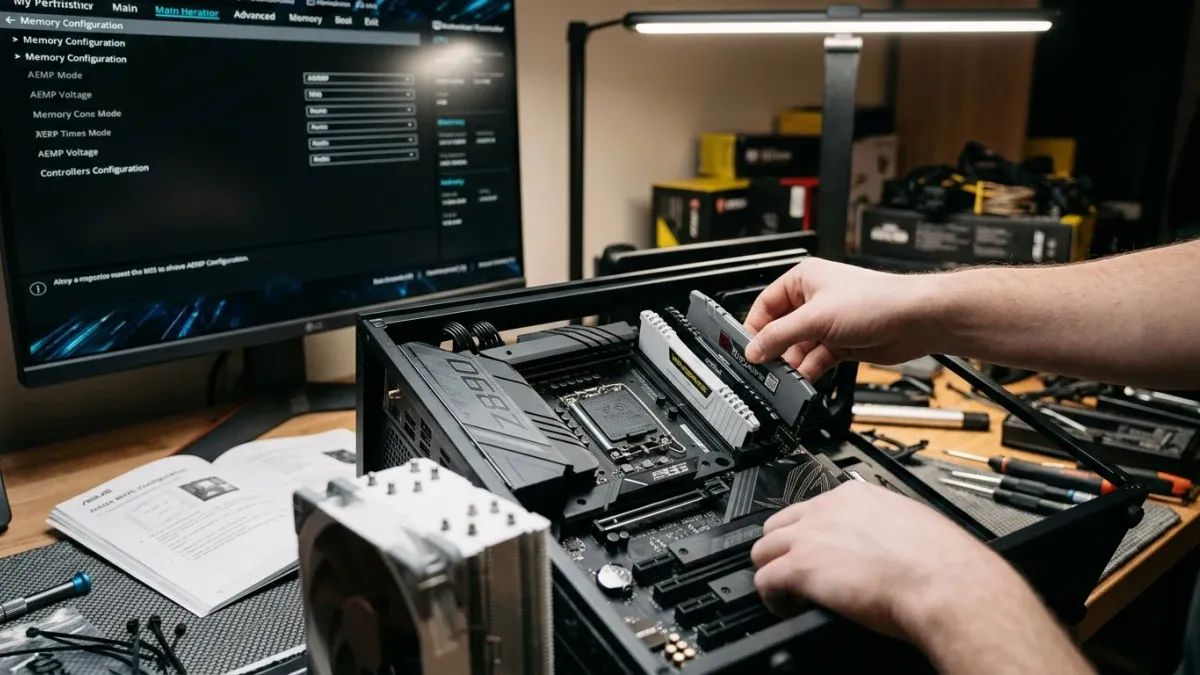
Hands installing RAM into an open PC case, with a monitor displaying BIOS memory settings in the background.
Some PC builders prioritize maximum performance from their memory kits, while others prioritize compatibility. For builders in the latter group seeking an affordable way to get a PC running with non-standard memory configurations, ASUS has launched AEMP Mix Tuning, a new BIOS feature available now for ASUS Intel 800-series motherboards via firmware update.
AEMP Mix Tuning helps users operate mixed memory configurations of 2-4 DRAM sticks with different models, frequencies, and capacities. The compatibility-first tuning algorithm prioritizes reliable system boots and stable operation while increasing frequency where possible.
To access AEMP Mix Tuning, you'll need the latest BIOS update. Visit the ASUS Support website, enter your motherboard model in the search bar, and look for the latest BIOS update in the Driver & Tools menu.
AEMP Mix Tuning is a new BIOS feature that provides better flexibility and compatibility for PC builders seeking to install mixed DDR5 memory configurations on ASUS Intel 800-series motherboards. The feature prioritizes establishing a bootable configuration first, then optimizes memory performance. It supports a wider range of non-CUDIMM DDR5 configurations, particularly when installed modules have different specifications.
AEMP Mix Tuning is an ASUS-exclusive feature currently available to owners of ASUS Intel 800-series motherboards with updated firmware. The option to enable AEMP Mix Tuning appears in the UEFI BIOS only when all these conditions are met:
If you're experiencing compatibility issues with a matching memory kit, AEMP Mix Tuning won't be available, but other features like AEMP II / AEMP III or DIMM Fit may help instead.
The AEMP Mix Tuning algorithm balances performance improvement with stability. In many cases, the feature will help memory run faster by increasing frequency. However, AEMP Mix Tuning prioritizes compatibility and ensuring your system boots. Once that foundation is established, users can pursue other memory tuning options for further performance gains.
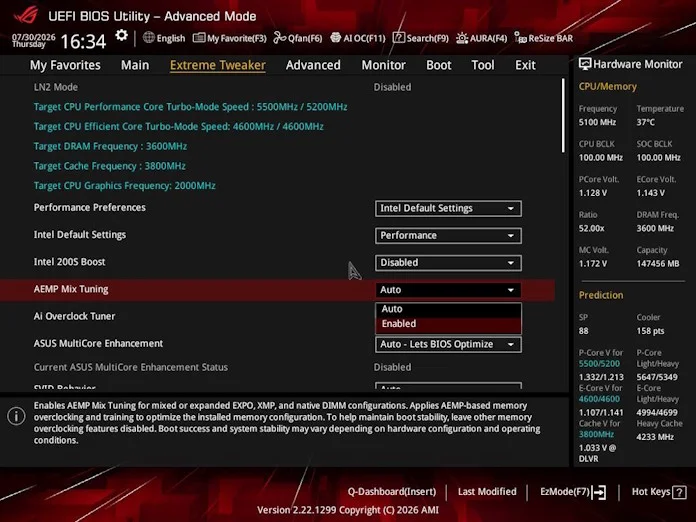
If your motherboard and memory configuration support the feature, you'll find the option in the Extreme Tweaker menu of the UEFI BIOS utility. To enable it:
The system will then begin the AEMP Mix Tuning process, which takes some time to complete.
AEMP Mix Tuning joins existing memory optimization tools available on ASUS Intel 800-series motherboards. AEMP is a firmware feature that improves performance of non-XMP / non-EXPO DDR5 modules. Previous versions, AEMP II and AEMP III, introduced support for mixed memory configurations.
ASUS developed AEMP Mix Tuning in response to community feedback seeking a compatibility-focused feature. Previously, when mixed memory configurations proved incompatible, users had little choice but to repurchase memory. AEMP Mix Tuning offers these users a path to stable operation, after which they can pursue other memory tuning options for additional performance.