Eyes closed in the photo? Lightroom Mobile fixes it (free)
Everyone looks great, the lighting is just right, and then someone blinks. Adobe is adding new tools to Lightroom on mobile for common photo frustrations, including fixing a shot where one person blinked and extending the edges of an image to fit the right aspect ratio for social sharing. Adobe says these tools help you get the result you want in a few taps.
The first is Open Eyes. When Lightroom automatically detects closed eyes in a photo, it presents the Open Eyes icon as a Quick Action, so you can choose to generate the fix. In one tap, Open Eyes creates a natural-looking result on any photo, for free. If you have other photos of that person in your Lightroom library, the result can be more accurate because the tool matches their eye color, shape and size. Adobe says this goes beyond opening someone's eyes and makes sure they still look like the person. The feature is aimed at moments that are hard to capture again, like the group shot where everyone looks great except one person, the kid who never stops moving, the big laugh between friends, or the milestone photo where “let's take another one” isn't really an option. Adobe says there are no complicated edits and no need to recreate the scene.
The second tool is Generative Expand. It extends the scene beyond the original frame, filling in what's missing to create more space around your subject, reframe your composition, or adapt an image to a different size. Adobe says it is especially useful for travel and landscape photography, architecture or portraits that need a wider background, and images you want to reformat for social. The pitch is that you can make any photo work for any social platform by turning images already in your library into something new for your next post.
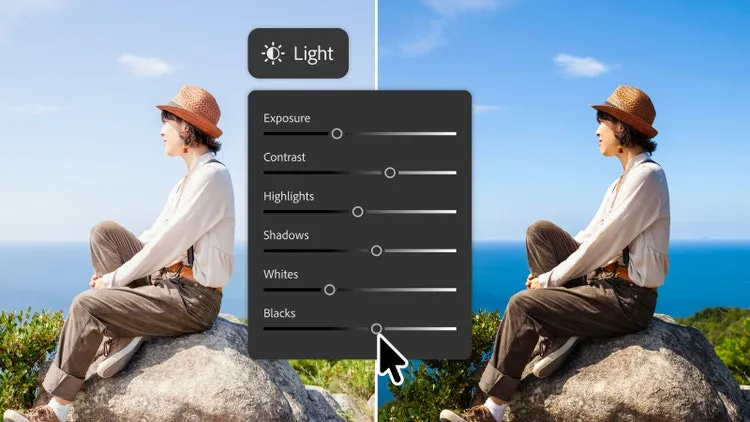
Open Eyes and Generative Expand are available in the Lightroom mobile app. Open Eyes is free. The article does not give a release date or pricing for Generative Expand.
| Model | Price | Where to buy | As-of date |
|---|---|---|---|
| Lightroom (1TB), annual billed monthly | US$11.99/mo | Adobe | Oct. 2026 |
| Lightroom (1TB), annual prepaid | US$119.88/yr | Adobe | Oct. 2026 |
| Photography (1TB) | US$19.99/mo | Adobe | Oct. 2026 |