Bing Image Search swaps endless grids for guided groups
Bing is redesigning image search to help people move from scrolling to understanding. The new opt-in experience replaces the dense grid of default results with AI-labeled categories, short group summaries, and sources, so users can see how images relate to one another and decide where to look next.
Image search has been hard to use for exploration. Results often arrive as endless grids with repeated images, minimal context, and little guidance on where to start. Bing says the new version addresses this by organizing results rather than adding more to look at.
Behind the scenes, AI automatically labels and organizes images into clear categories and generates short summaries that explain each group. Bing says this added context helps users quickly understand what they are seeing and reduces the need for extra searching or guesswork.
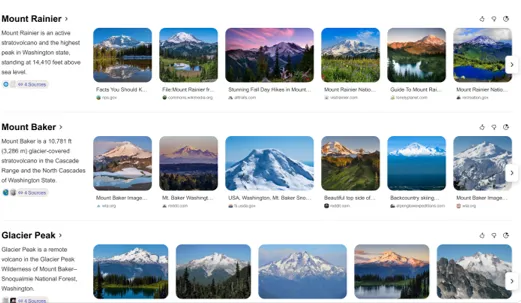
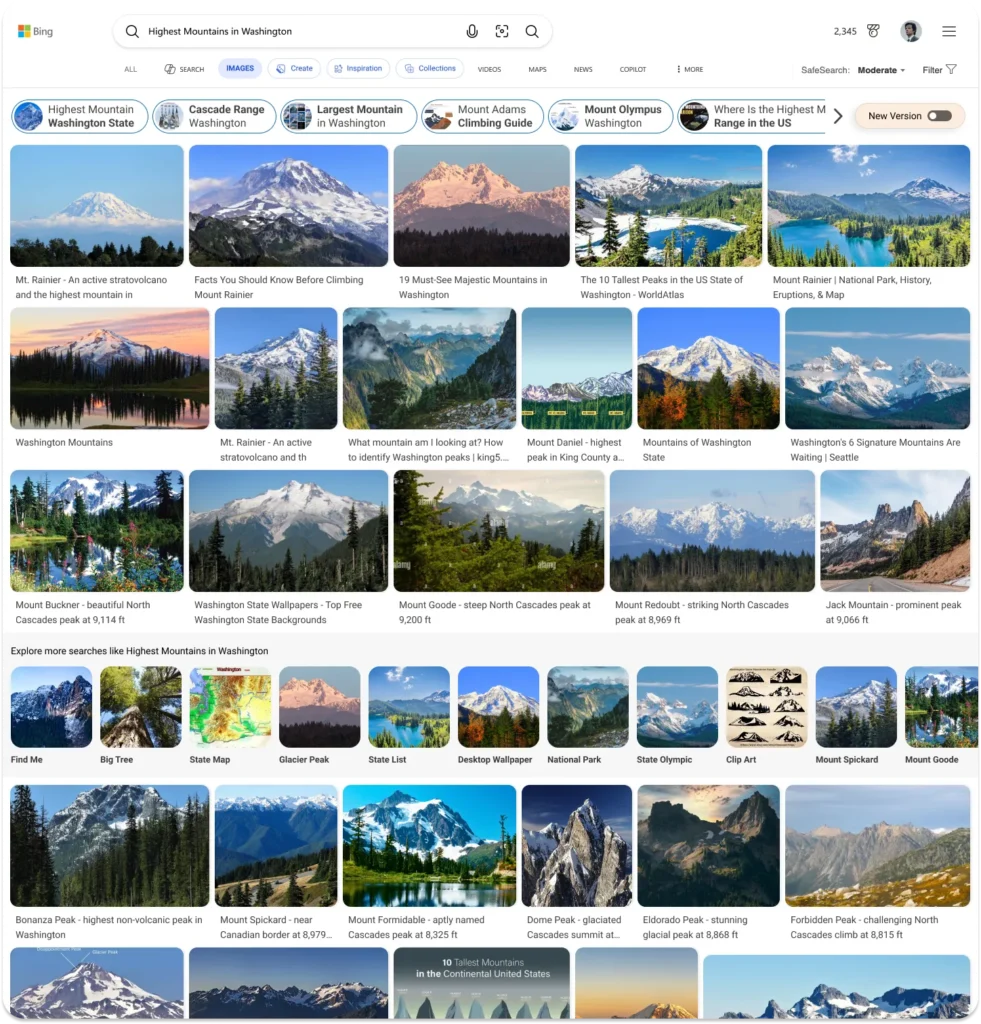
The difference is visible in a side-by-side comparison. Bing's example is a search for “Highest Mountains in Washington.” In the default experience, results form a dense grid with little context about how the images relate. In the new experience, the page is more structured. Two rows of highly relevant images at the top give a quick overview of the results. Below, images are grouped into labeled sections, each with a short summary of what the group represents. Sources appear alongside these overviews so users can judge where the information comes from.
Bing says the redesign is aimed at people who want to move from browsing to deciding with less effort. Examples include researching ideas for a home refresh, planning a trip, or exploring a visual topic. The company says the experience is strongest in visual scenarios such as design inspiration, shopping, education, and creative exploration, where images are essential to comparing options or getting inspired.
Bing gives an art example: searching “Picasso” and opening Images shows his work organized by style and period. Instead of a jumble of results, users see categories that highlight different phases of his career, which makes it easier to follow how his work evolved.
Bing describes the goal as reducing clutter, not adding to it. It says the result should feel more organized, easier to compare and explore, more intuitive, and more helpful for visual, idea-driven tasks.
Image Search is available today for Bing users in the United States on desktop, with no sign-in required. Bing says it will continue rolling the experience out to mobile and additional markets soon. To try it, search for something on Bing, open the Images section, and select the “New Version” toggle. Bing also provides a direct link to a sample search for “highest mountains in Washington state.”