Claude Desktop support with Ollama
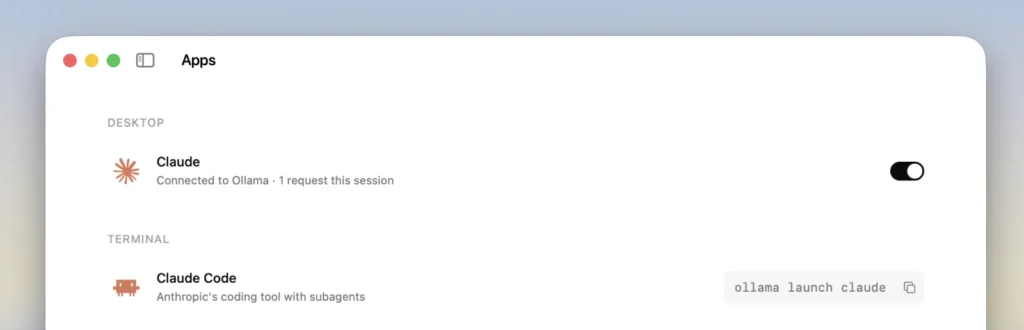
Developers can now configure Claude Desktop to work with Ollama as a third-party gateway provider, allowing them to use open models locally on their computer or access Ollama's cloud models, while retaining the ability to switch back to their existing Claude setup.
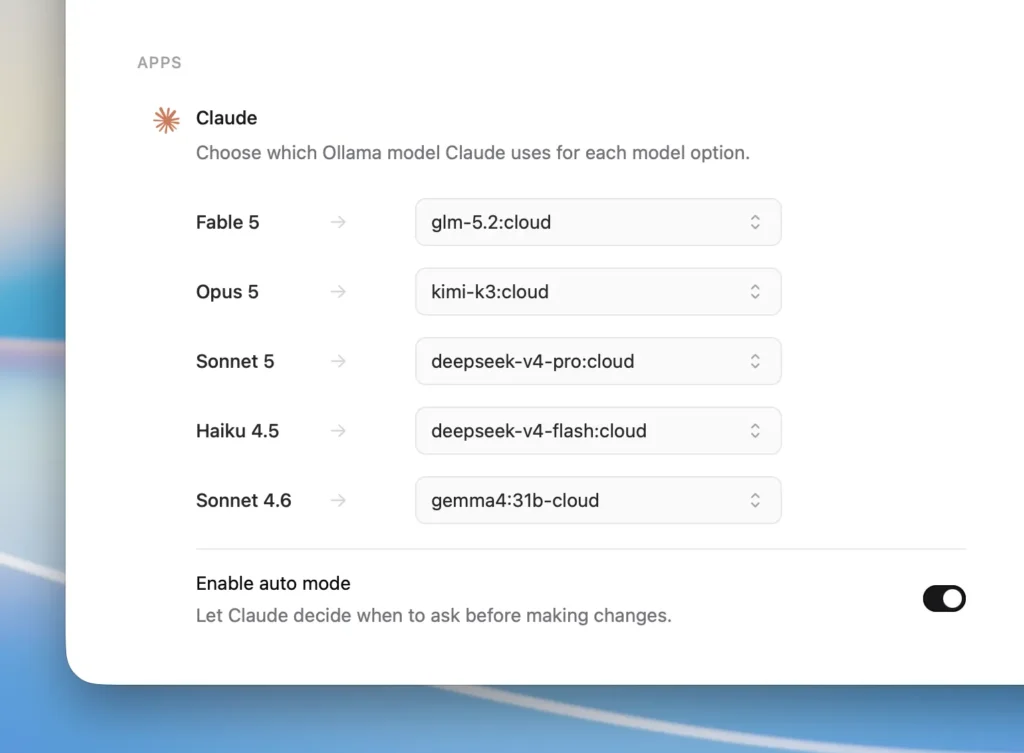
Open Ollama and select Claude, then turn Claude on. Ollama will configure the third-party gateway automatically. You can then choose any model within Ollama—both local and cloud-based. Turn Claude off in Ollama to restore your previous setup.
Will my prompts or data be sent to Anthropic or Ollama?
No. Telemetry is disabled by default. Ollama maintains a strict Zero Data Retention policy across all models and services, whether accessed through the cloud or on your local machine.
Can I continue to use Anthropic models?
Yes. You can switch between Anthropic models and Ollama by toggling the feature inside Ollama.
Can I use my local models with this integration?
Yes. Go to the Settings page and configure a local model.