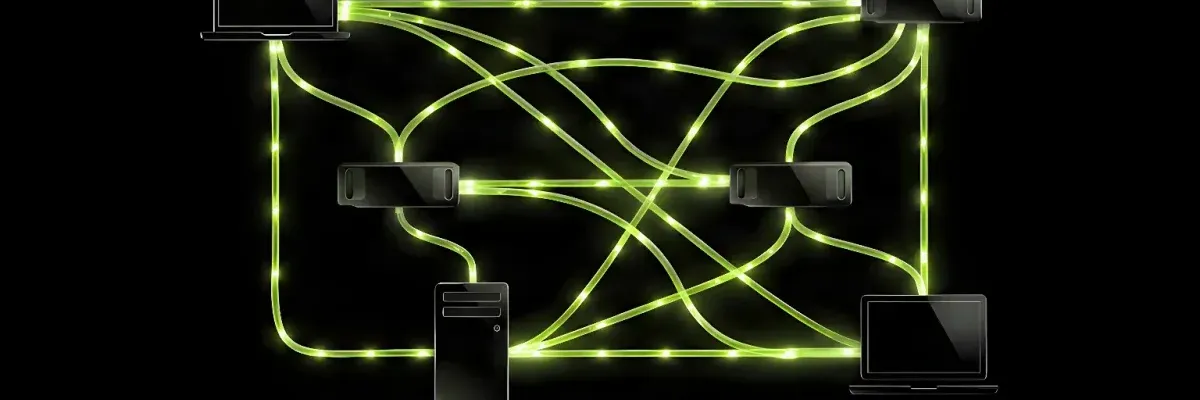
Glowing green network links connect laptops and devices in a distributed system on a dark reflective surface.
AI agents are learning to work together more effectively. A lead agent can break complex tasks into smaller jobs and assign them to specialized subagents, with users increasingly running multiple agent sessions simultaneously. Multi-agent workflows are becoming more common, but this approach can bottleneck the system as many requests flood the GPU at once.
NVIDIA Personal AI Router (PAIR) addresses this problem by leveraging local hardware to distribute inference requests across available systems on a home network. PAIR routes each independent request to an available machine and works with familiar local inference services like Ollama and LM Studio, allowing users to expand compute capacity without redesigning their agents or changing how they interact with them.
The NVIDIA PAIR beta is available for Windows, macOS, and Linux through graphical and terminal interfaces. It supports NVIDIA GeForce RTX 20 Series GPUs and newer, NVIDIA RTX PRO workstation GPUs (Turing architecture and newer), NVIDIA DGX Spark, and Apple M4+ silicon.
| Platform | Support |
|---|---|
| Operating Systems | Windows, macOS, Linux |
| Interface | Graphical and terminal |
| NVIDIA GeForce RTX GPUs | 20 Series and newer |
| NVIDIA RTX PRO Workstation GPUs | Turing architecture and newer |
| NVIDIA DGX | DGX Spark |
| Apple Silicon | M4+ silicon |
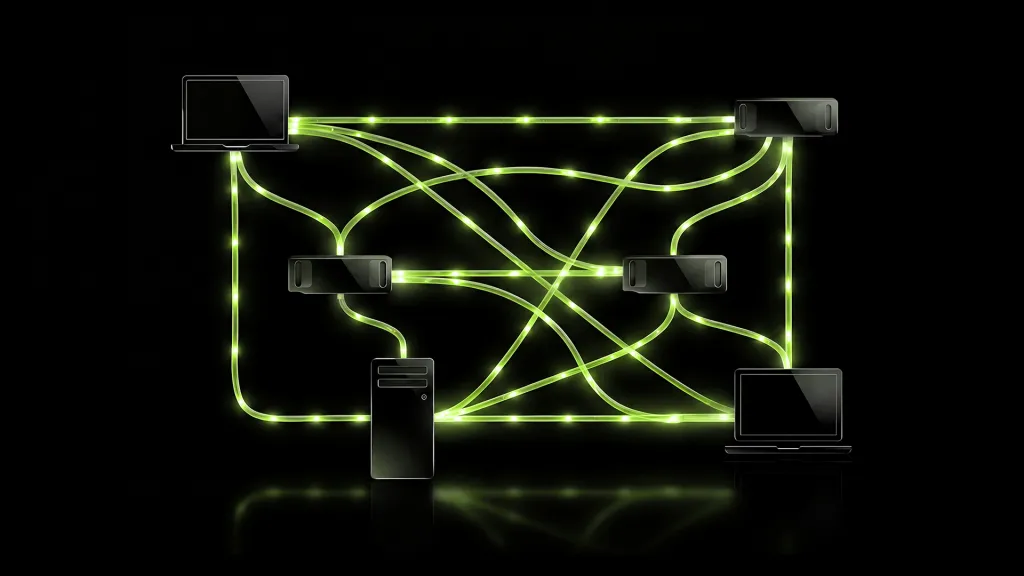
PAIR is a virtual inference router that maximizes local AI compute without replacing existing inference engines. Ollama or LM Studio still runs the model on the selected machine. PAIR discovers participating systems, tracks their readiness, schedules independent jobs, and returns responses to the originating application.
When an agent sends a request through its familiar local interface, PAIR receives it via proxy, identifies the engine and model requirements, selects one eligible node, and passes the request to that node's local inference engine. The agent sees one connection while PAIR handles placement behind the scenes.
Key features include:
Consider a prosumer running a local agent on a primary NVIDIA RTX AI PC. When the agent receives a research, coding, or organization task, it divides the work among several subagents, each exploring a bounded part of the problem. From the user's perspective, this is one task, but at the inference layer it becomes dozens of independent model calls.
If every call targets one local engine, they queue up waiting for execution slots, keeping the primary PC occupied even if an RTX PRO workstation, laptop, or DGX Spark elsewhere on the network has compatible capacity available. PAIR allows subagent requests to run on the primary PC while others run on additional paired nodes, reducing queueing and improving end-to-end completion time. It can also keep the primary PC focused on graphics-intensive gaming or content creation while distributing inference to other nodes.
This is workload-level concurrency—PAIR does not split a single inference request across multiple GPUs. Every request is assigned to one eligible node and remains there for its lifetime.
A home AI cluster differs fundamentally from a dedicated data center. Home hardware is dynamic: a gaming PC may start playing a game, a laptop may sleep or leave the network, and users may reclaim GPUs for foreground applications.
PAIR is designed around these changing conditions. It discovers local systems with mDNS, pairs supported devices on the private network, and maintains a live view of which nodes can accept new work. Client nodes can join the available pool when ready and drop away when needed without requiring a dedicated, always-on installation.
For each new request, PAIR considers several factors:
PAIR does not require every system to be identical or permanently available. It schedules requests and manages the cluster around how systems are used in everyday life.
A demonstration using PAIR with Hermes Desktop and Ollama shows the potential benefits. The task asked Hermes to analyze a synthetic household inbox and produce a trustworthy Sunday Reset plan with evidence for each conclusion. Hermes created five specialists to review independent parts of the evidence, reconcile conflicts, and return a consolidated plan.
Using Qwen 3.6 35B on a single NVIDIA RTX Spark laptop, the five-subagent workload took 18 minutes to complete on average. A three-device PAIR cluster containing an RTX Spark laptop, a DGX Spark, and an RTX 5090 completed the same workload in 8 minutes and 48 seconds on average. NVIDIA notes this is an unofficial, configuration-specific demonstration, not a general benchmark or a promise of linear scaling. Results depend on workload parallelism, model, engine settings, hardware, network, and node availability.
| Configuration | Completion Time |
|---|---|
| Single NVIDIA RTX Spark laptop | 18 minutes (average) |
| Three-device PAIR cluster (RTX Spark laptop, DGX Spark, RTX 5090) | 8 minutes 48 seconds (average) |
After PAIR is installed on each compatible system, it uses mDNS for local-network discovery to automatically find nearby systems. Nodes can also be added by IP address. Users approve secure pairing requests to create the trusted set of local nodes PAIR considers. All node-to-node communication is blocked until the secure connection and pairing is established. Once connected, communications are secured with mTLS and generated certificates so traffic stays private on the network.
Each participating node runs Ollama or LM Studio. PAIR can help install an engine and initiate model downloads on paired systems. A node becomes eligible for a request only when the required engine is enabled and the exact requested model is available there. Models do not have to be identical across each node—different systems can host different models, and PAIR routes according to model location.
When a compatible application sends an Ollama-compatible or LM Studio-compatible request through the local endpoint proxied by PAIR, agent harnesses continue using the interface they already understand. PAIR proxies by taking over the default port that Ollama and LM Studio use for their services. If an agent harness uses a different port, the proxy port can be configured in PAIR's engine settings.
PAIR inspects the request's engine and model requirements and passes them to the router. The agent decides what work to request, while PAIR decides where eligible work should run. The scheduler filters paired systems using current information about readiness, supported engine state, requested-model presence, and job load. It selects one eligible node, and PAIR on that system passes the request to the local inference engine. Independent calls from other subagents can be assigned to other ready nodes simultaneously.
The selected engine executes the request, and PAIR streams the response back through the same local interface to the originating application. The Jobs and metrics views show which node handled each routed request.
PAIR is most useful for workloads that expose several independent requests simultaneously, including multiagent applications and concurrent local AI tools. For those workloads, PAIR can:
PAIR does not:
Highly sequential tasks, workloads dominated by one long model call, or configurations where only one node has the requested model may see less benefit. Users should measure their actual workloads using end-to-end completion time, queueing, output quality, and observed routing on the systems they use.
To begin using PAIR:
The NVIDIA PAIR project is open source.