The way developers arrive at the Unity Engine has changed faster this year than expected, with a growing number now describing a game they want to create to a coding agent rather than downloading the engine manually. When you ask an agent to help build a game today, it picks an engine for you—typically something it can install, run, and share within the same session.
At Unite Seoul, Unity launched the Unity CLI so developers could point their preferred coding agent at the Unity Engine. Today, Unity is continuing that evolution with the official Unity Plugin for Claude Code, a first-party plugin that installs Unity's engineering skills, the Unity CLI, and Unity's MCP server for live Editor control, enabling Claude Code to work in a Unity project the way Unity intends.
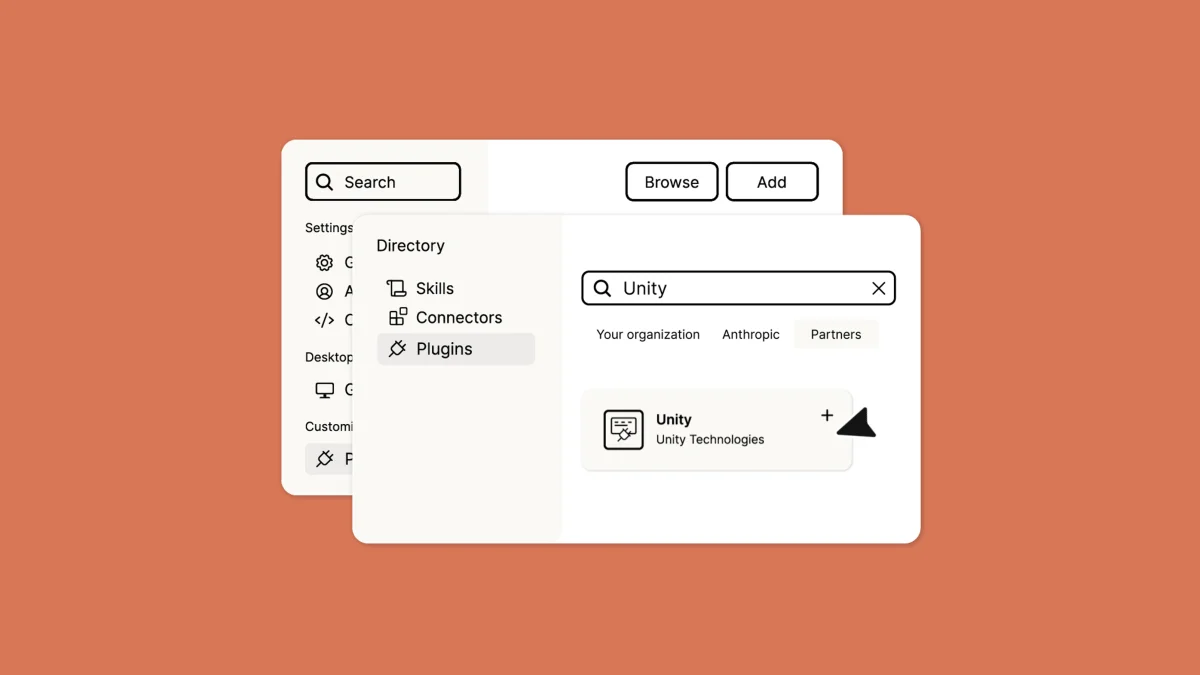
The Unity Plugin installs into Claude Code from the terminal or Claude Desktop app's Claude Code interface, and is listed among Claude's partner plugins. Claude Code is the first coding agent to support it; Unity plans to offer the plugin on other coding agents later this year.
What comes with the Official Unity Plugin?
When a general-purpose coding agent encounters a Unity project without guidance, it makes reasonable guesses: assembling sprite atlases in a workable but non-standard way, reaching for unfamiliar UI frameworks instead of your team's standardized tools, ultimately producing suboptimal output.
The official Unity Plugin closes this gap by teaching the agent how to execute specific tasks the way they're meant to be done in Unity—where projects keep assets, how atlases are built, what a URP renderer feature must satisfy to run. The plugin installs 29 skills (with more planned) via a single command, requiring no configuration, per-project setup, or machine-to-machine transfers. These jobs represent work Unity developers already do in a normal week; what changes is that the agent approaches them with Unity's answer rather than assembling one from third-party sources. You spend more time on results and less time correcting approach.
The initial skill set spans UI and text, 2D and sprites, graphics and rendering, audio, scene and gameplay, monetization and live ops, multiplayer, and platform and localization. Full documentation is available here.
Why Choose the Official Unity Plugin
While the developer community has created helpful plugins widely used by many, Unity determined that a first-party plugin was important. These skills are written by the Unity teams that own each feature, undergo security review, and maintain documentation aligned with the engine.
When using a skill versus asking Claude to code an unfamiliar task without guidance, output generally has fewer errors, is more token efficient, and enables task completion in fewer turns. The skills come from Unity engineers and are written against how the engine actually behaves.
Try it today
Install the plugin, open a project, and complete a tedious task—atlas building, localization passes, or in-app purchases. Unity's AI tooling has been on a fast evolutionary path this year, moving from internal builds to tools developers can use directly. Every skill the teams add going forward appears in your already-open tools on the day it ships, and the next agent you try will find Unity ready to work.