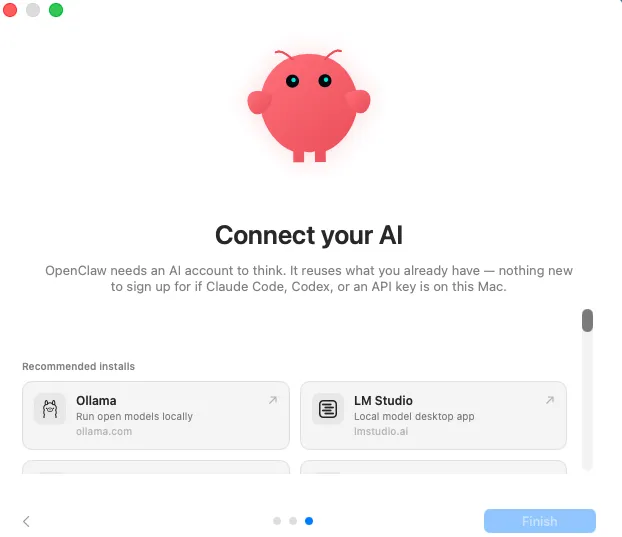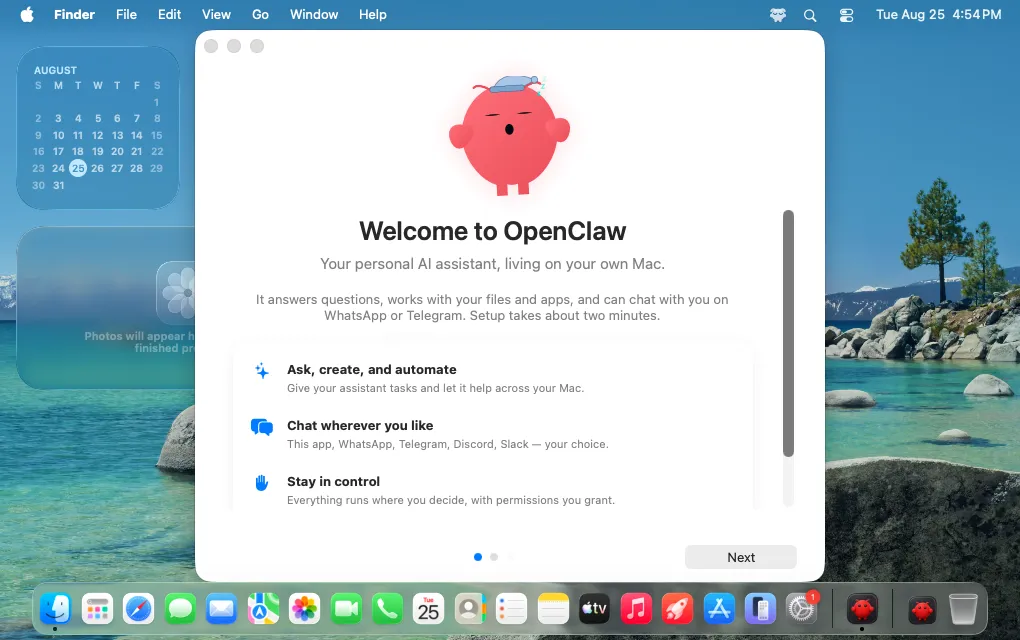
A macOS desktop displays the OpenClaw welcome window with a pink mascot, setup instructions, and a scenic background.
OpenClaw has inspired hundreds of thousands of developers to run agents on their own hardware. But getting started hasn't always been straightforward—even technically experienced users spend more than 30 minutes wrestling with setup before achieving a working agent.
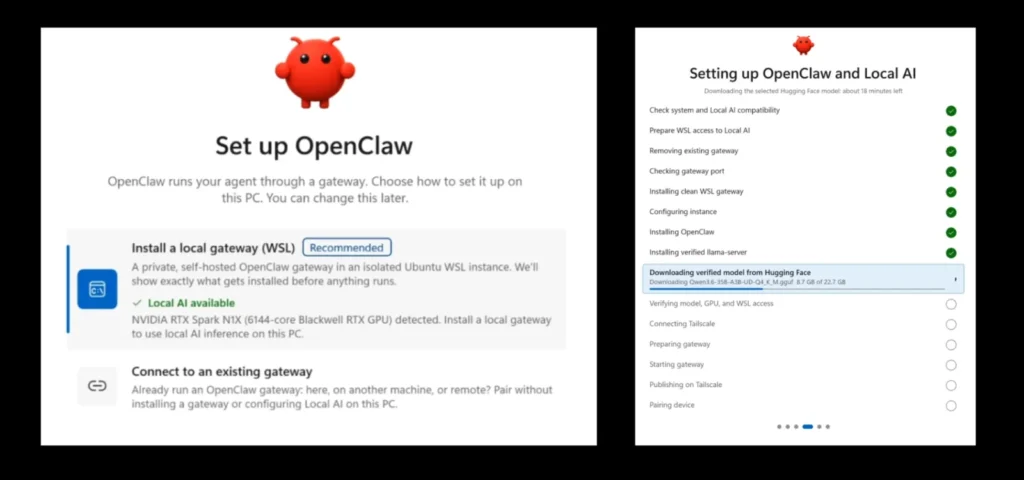
In June, OpenClaw launched a Windows App installer to simplify onboarding for users avoiding the terminal. Today, the company is bringing that native app experience to macOS, and making Windows setup even simpler for machines with NVIDIA RTX GPUs.
macOS users can now download OpenClaw and click through a familiar app installation interface, then begin building with agents without touching the terminal. The installer has been tested in clean environments to surface and repair connection and authentication failure points.
Model setup—another common pain point—now includes automatic detection on macOS. If you already have AI access configured (Claude, Codex, Ollama), OpenClaw can detect and verify the connection for you. Power users retain full control over model selection, providers, local inference, gateways, and advanced configuration.
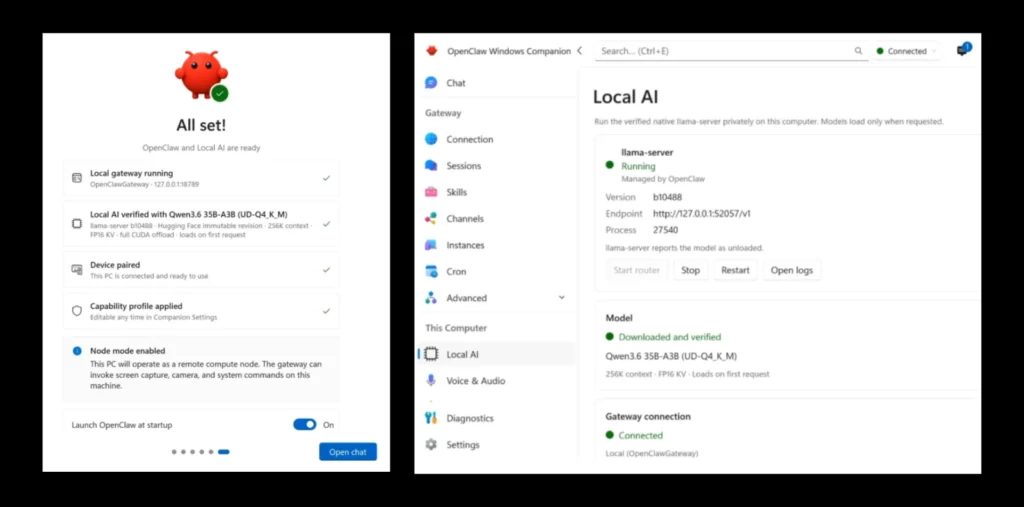
Windows PCs with NVIDIA RTX GPUs get expanded capabilities. During onboarding, OpenClaw can detect NVIDIA hardware and suggest optimized local models to run without existing configuration. On any NVIDIA RTX GPU with at least 24GB of memory, it can automatically set up and run 30B-class models entirely on your machine.
| Requirement | Specification |
|---|---|
| Minimum GPU Memory | 24GB |
| Model Class | 30B |
This works across Windows-based NVIDIA GeForce RTX and NVIDIA RTX PRO GPUs, with planned support for NVIDIA RTX Spark and NVIDIA DGX Station for Windows.
Running models locally means more control over your data and private, unmetered intelligence without relying on cloud inference.
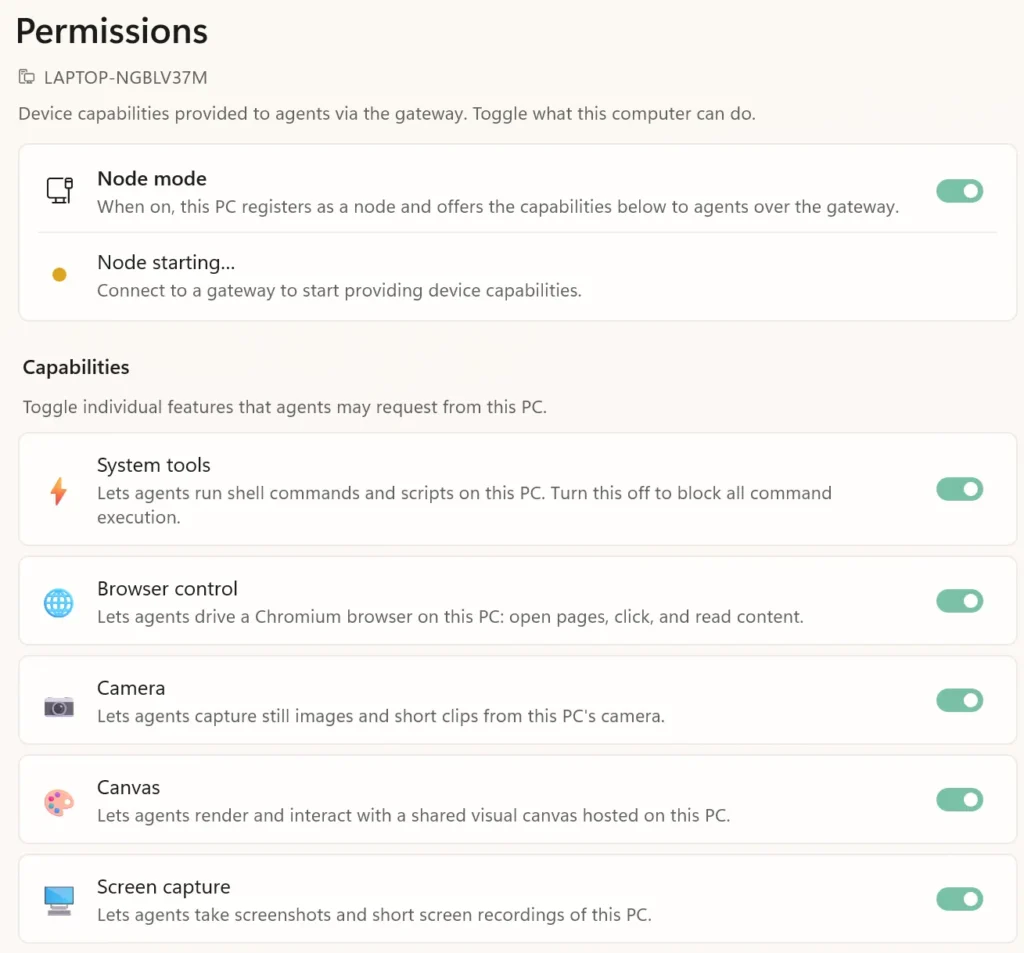
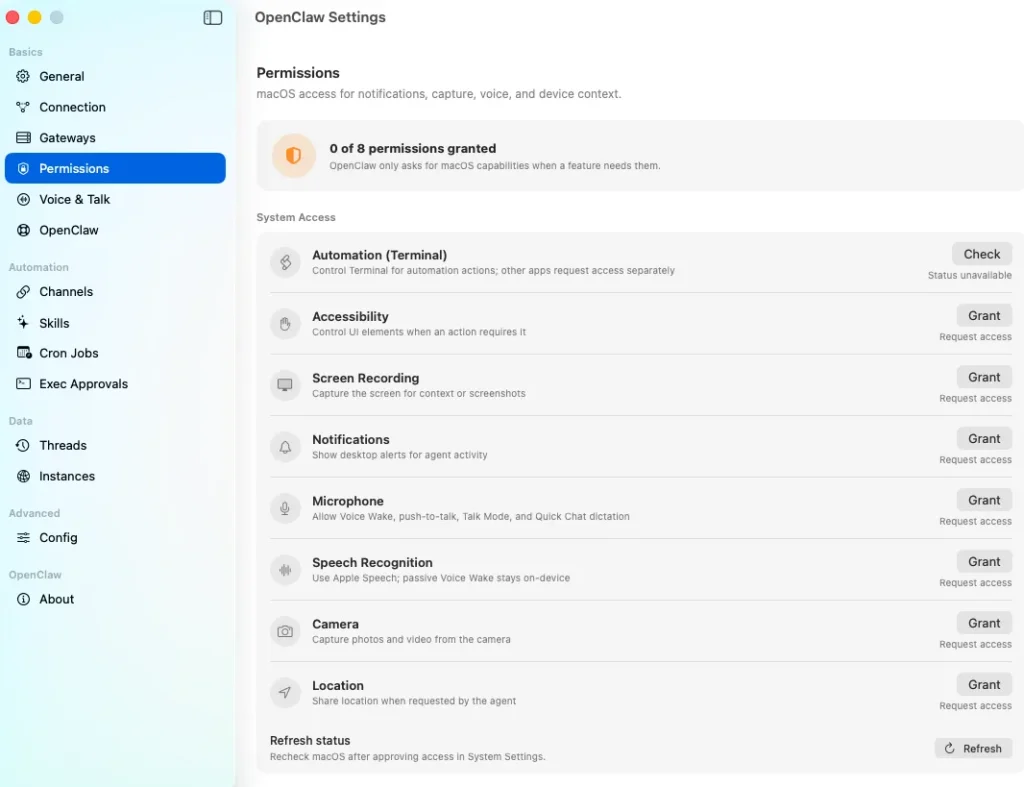
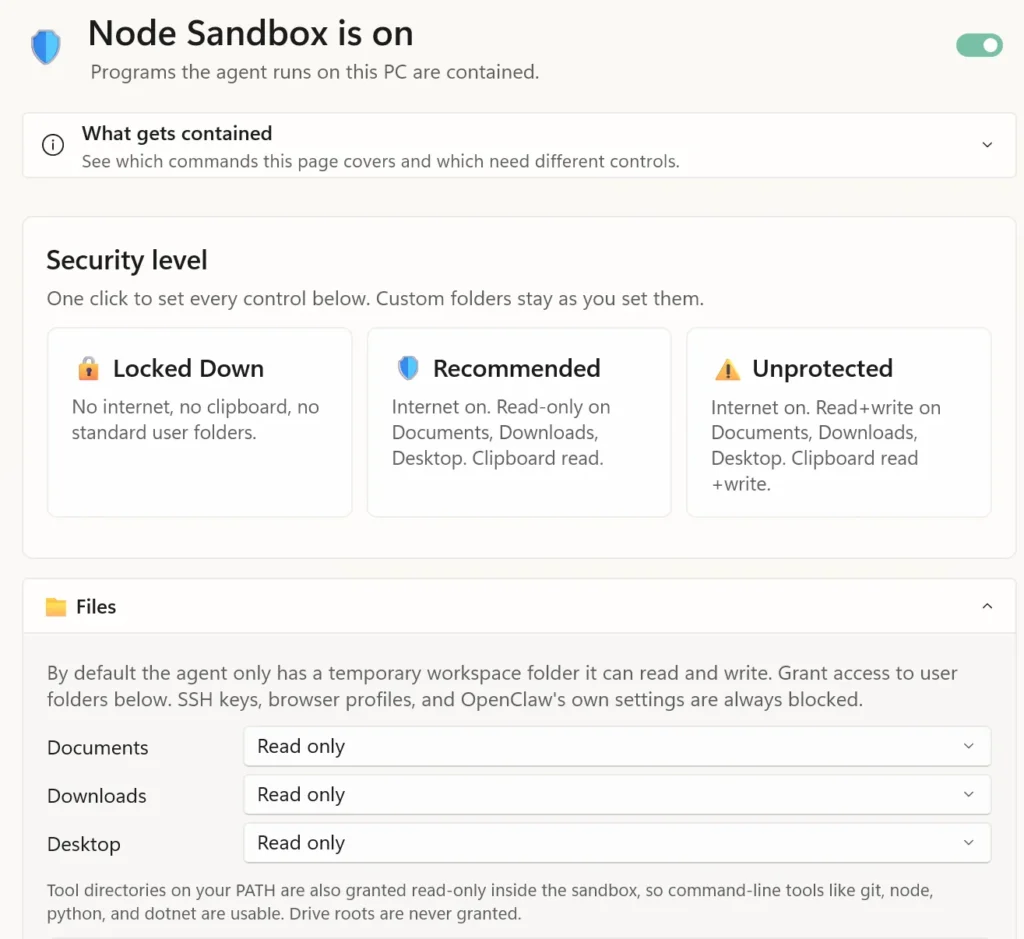
Autonomous agents' interactions with files, tools, and services make access control critical. Both Windows and macOS now offer clear permissioning interfaces showing what OpenClaw requests access to, why, and allowing easy changes later.
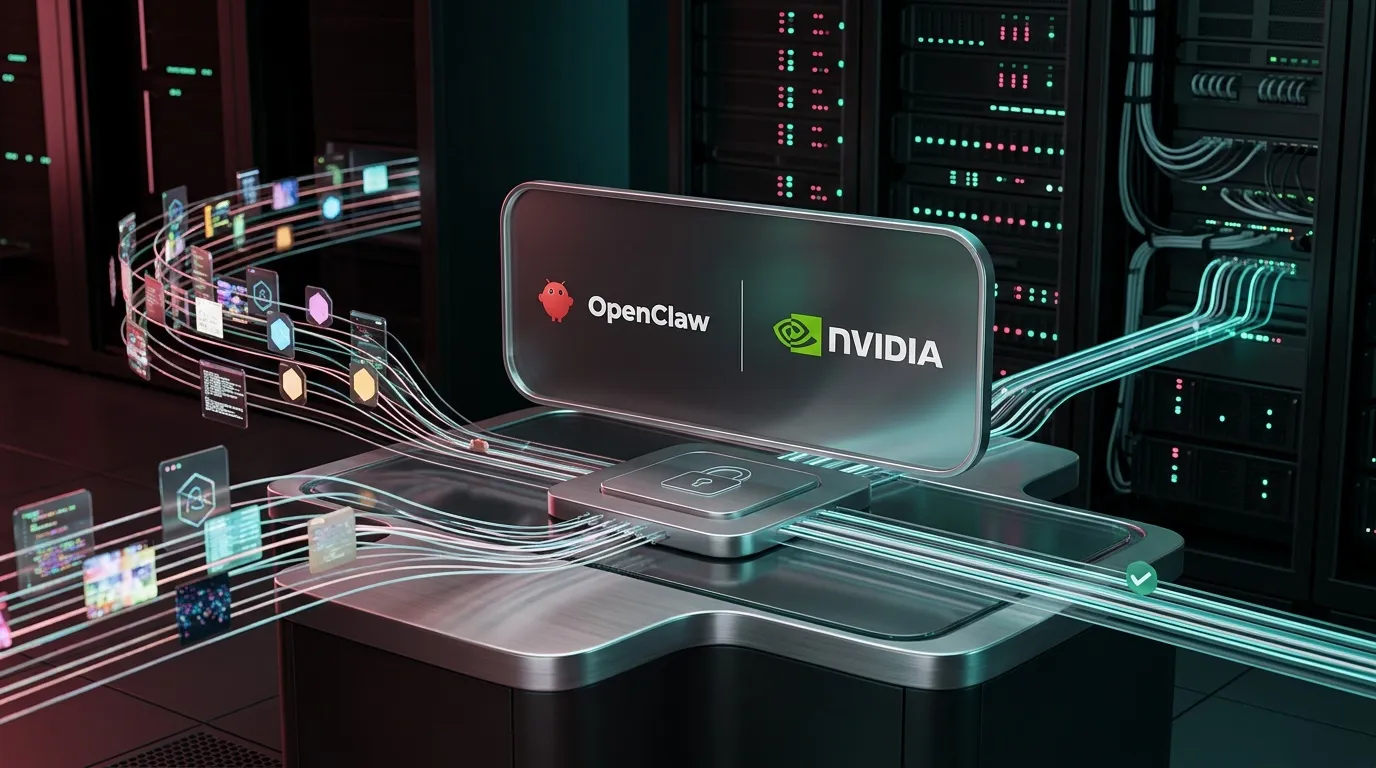
OpenClaw is working with Microsoft and NVIDIA on a combined approach to agent security. Microsoft Execution Containers (MXC), available today as a free open-source project with general availability expected this fall, provide the underlying containment layer to isolate agent activity and enforce controls.
The latest Windows App release introduces managed local AI through llama-server, alongside an updated llama.cpp runtime and improvements to startup reliability, generation limits, model availability, and routing safeguards. For enterprises, these advancements enable running autonomous agents with stronger security, governance, and visibility while reducing cloud inference dependence.
OpenClaw's advanced capabilities remain unchanged. Users can still run it locally, select their own models, connect custom tools, and configure permissions as they prefer. Easier setup doesn't compromise security or power—whether on macOS or Windows NVIDIA RTX systems, clearer installation lets you decide what access OpenClaw has.
The company views these changes—a macOS installer, simplified local setup on Windows, and built-in containment—as steps toward trustworthy agent execution at scale, allowing agents to be powerful without requiring users to surrender control of their devices, data, or infrastructure.