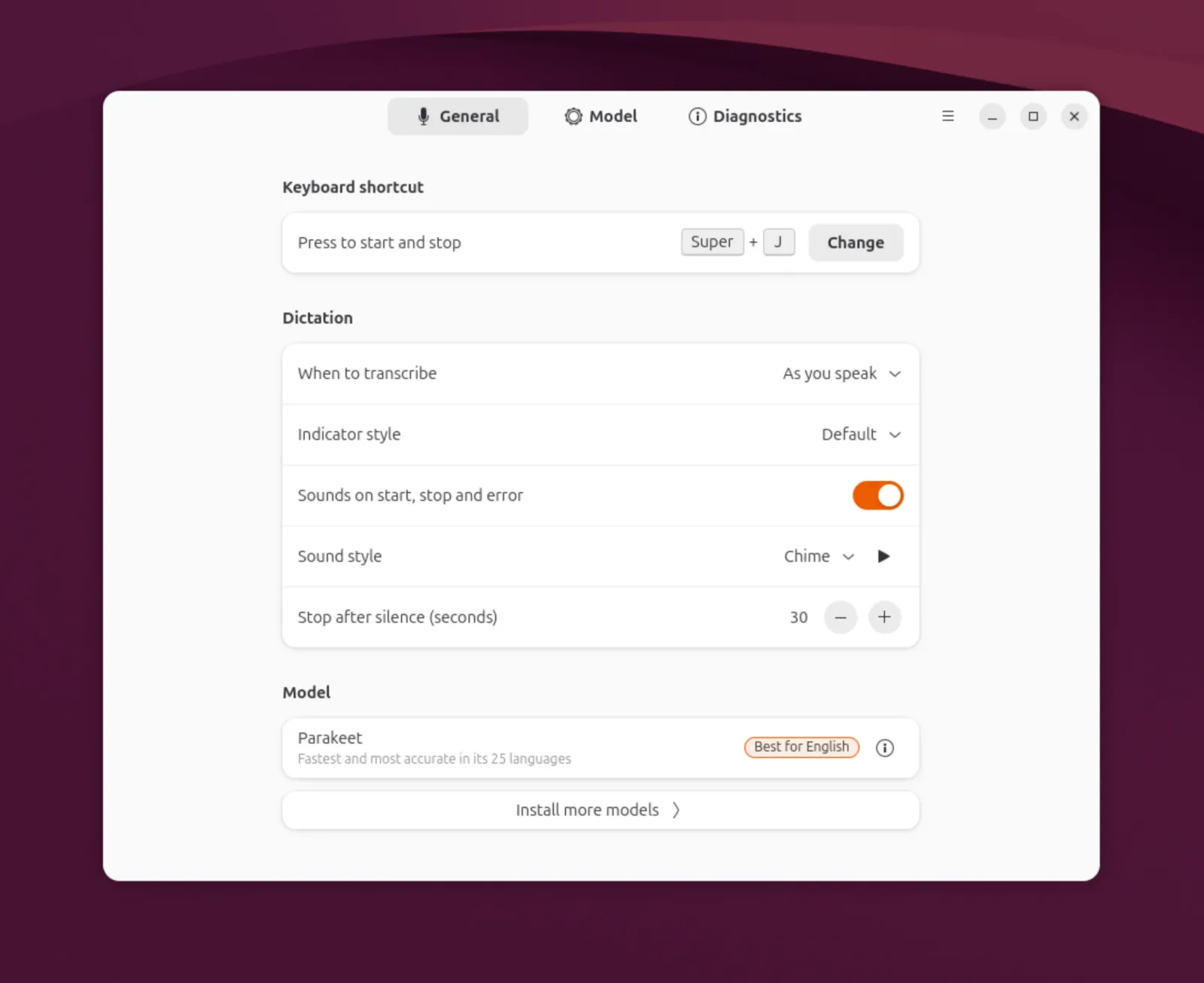
Myna, Ubuntu's speech-to-text dictation project, is now available as a technology preview. Speech recognition runs entirely on your machine, so you can dictate into any application you use without sending your audio anywhere.
Key Features at a Glance

- Local processing: Recognition runs on your machine. After a model downloads, no internet connection is needed, and your audio is not uploaded or stored.
- Multiple engines: Parakeet, Whisper, and FunASR are supported. Each trades off language support, accuracy, and hardware requirements, so you can choose based on your language and machine.
- Real-time visual feedback: Myna shows feedback as it recognizes your speech.
- Hotkey dictation: Put the cursor in a text field, press the configured hotkey, and speak. Myna transcribes directly into the application you're using.
- Optional GPU acceleration: Supported NVIDIA GPUs can use a GPU-accelerated engine. Support for additional accelerators is planned.
- Dictation only: Myna is not a voice assistant and does not control the desktop through voice commands.
Availability
The technology preview is available on Ubuntu 24.04 LTS, Ubuntu 26.04 LTS, and Ubuntu 26.10 (amd64 and amd64v3, GNOME on Wayland), and you can install it from the ppa:canonical-desktop-team/myna PPA with the myna-config package. The project is developed in the open at github.com/canonical/myna.
| Attribute | Details |
|---|---|
| Status | Technology preview |
| Supported releases | Ubuntu 24.04 LTS, Ubuntu 26.04 LTS, Ubuntu 26.10 |
| Architectures | amd64 and amd64v3 |
| Desktop session | GNOME on Wayland |
| PPA | ppa:canonical-desktop-team/myna |
| Package | myna-config |
| Source | github.com/canonical/myna |
Source: ubuntu.com
Most Read
What the community is saying
community speaking about this topic
Nobody has commented on this yet.
π¬ Be the first to comment
Felipe Santos
“Artificial intelligence can process the world in milliseconds, but only the human heart can give meaning to every second lived” – Mr. Santos