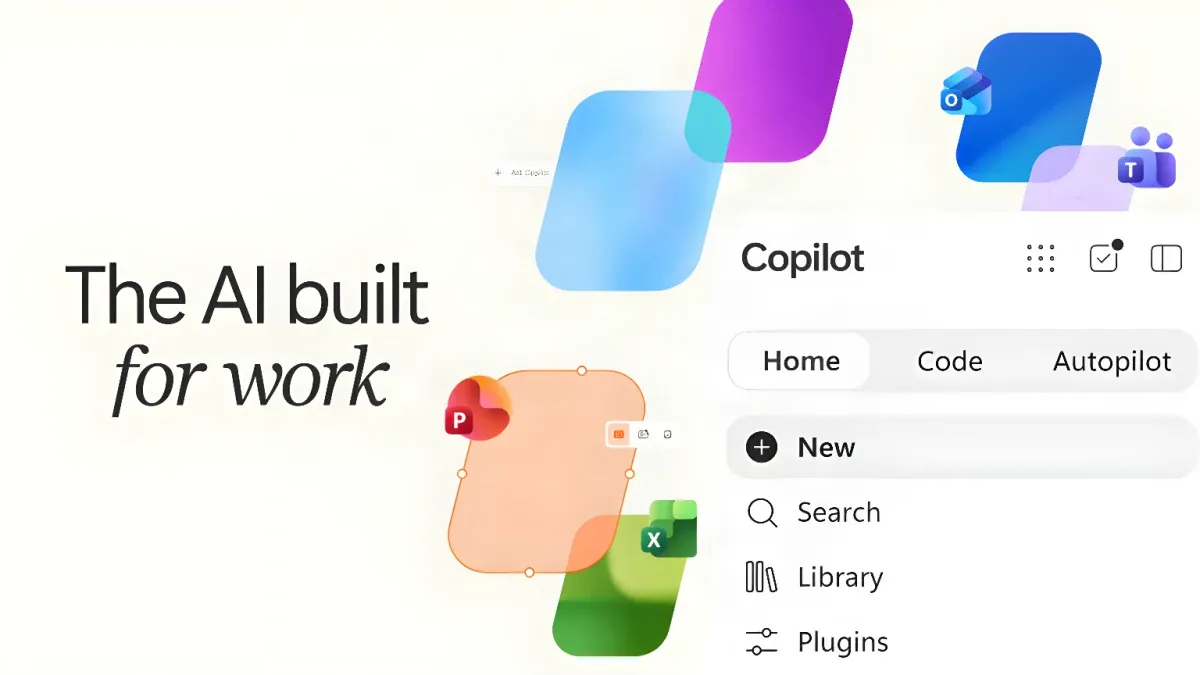
Colorful abstract shapes surround a Copilot interface with Home, Code, and Autopilot tabs, alongside text “The AI built for work.
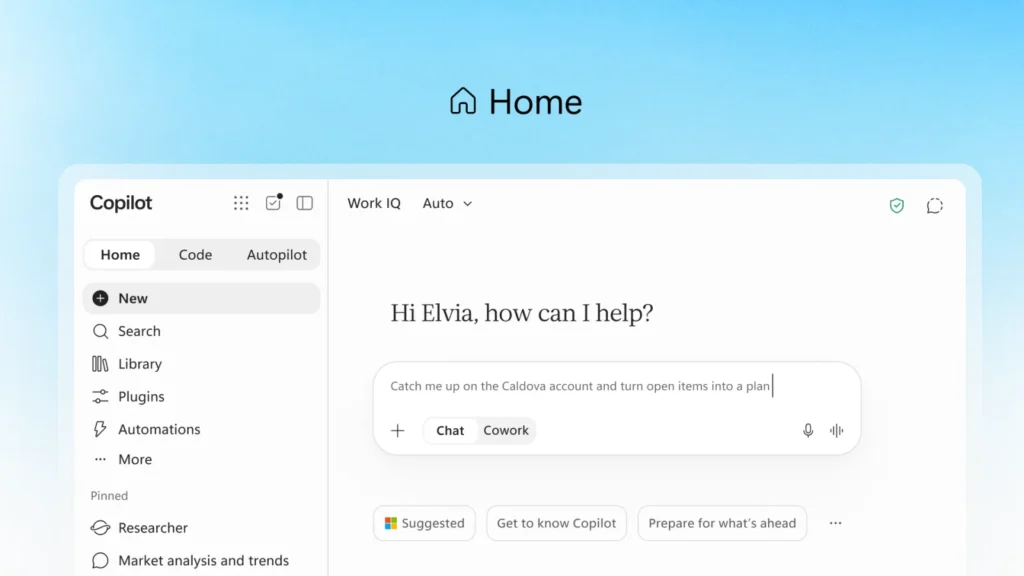
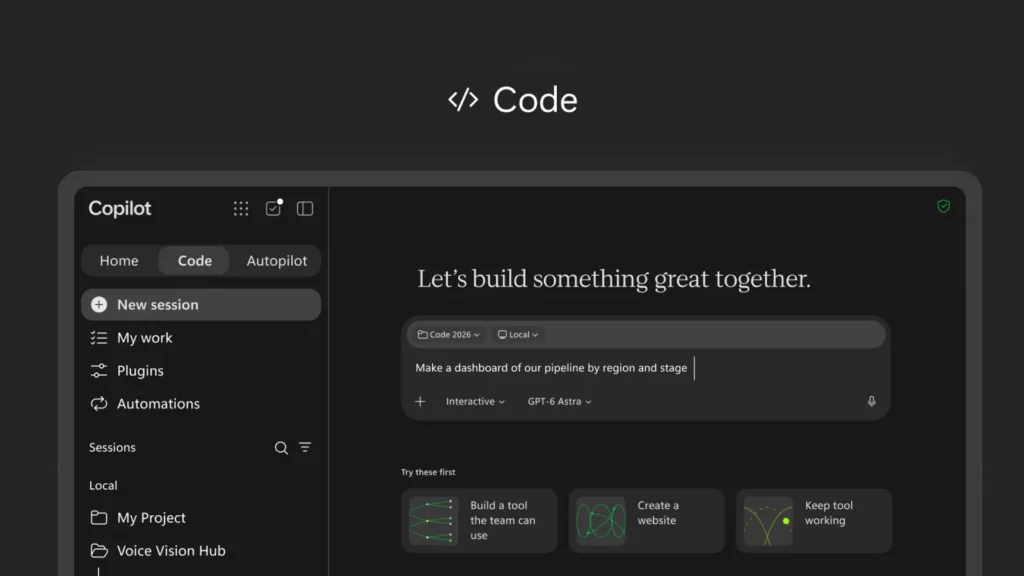
Microsoft is introducing a reimagined Copilot designed to connect tools and enable organizations to build, customize and scale AI across work. The updated Copilot app includes three major new capabilities: Home, a unified starting point combining Chat and Cowork; Code, which enables anyone to build custom solutions; and Autopilot, a persistent digital agent that works proactively on assigned tasks. Home and Code will begin rolling out in the Frontier program in the coming weeks, while Autopilot expands to private preview at month's end.
Home serves as the new entry point where Chat and Cowork converge. As work shifts between meetings, chats, documents, emails and apps, Home helps users review recent activity, receive suggestions on how Copilot can help, and resume work in progress. Chat handles instant, conversational tasks like quick questions and draft creation. Cowork is for delegated work: users define tasks and Copilot executes them end-to-end, returning completed results such as RFP responses, launch kits or financial close packages. Coming soon, users won't need to select a mode manually—they can simply state what they need accomplished, and Copilot will route the work to Chat, Cowork or Code as appropriate.
Microsoft is also integrating the full power of Word, Excel and PowerPoint into Copilot through Office in Copilot. Users can ask Copilot to draft a launch brief, model a budget, build a deck, or access files their teams are working on, and Copilot creates or updates real, editable documents, workbooks or presentations that sync live across the team. Changes can be refined through conversation or by @mentioning teammates, with edits appearing in real time between Copilot and Office apps.
Recent improvements to Office apps include PowerPoint's ability to keep decks on-brand automatically and fine-tune slides and images, Excel's change tracking when Copilot or collaborators make edits, and automatic chart recommendations. Across Microsoft 365, Skills bring specialized expertise directly into apps—such as financial skills in Excel and legal skills in Word—enabling organizations to scale best practices through reusable, role-specific workflows.
Code expands solution-building beyond developers. Traditionally, knowledge work has centered on files: documents, spreadsheets and presentations. Code introduces a fourth unit: small, purpose-built solutions anyone can create to accomplish specific tasks. Users can describe an app, tracker, dashboard, automation or workflow in natural language, and Copilot builds it—from persistent desktop widgets to interactive dashboards and cloud-hosted internal apps shareable with teams.
Powered by the same underlying technology as GitHub Copilot, Code runs in a sandboxed environment and can be hosted securely within company tenants. Everything created is grounded in work context through Microsoft IQ, and plugins sync automatically. Software developers continue using GitHub Copilot for daily work with enhanced connectivity to the broader Copilot platform. Code rolls out to Frontier at month's end, with broad availability in coming weeks and preview access for Microsoft 365 Premium and Pro subscribers later this year.
To support this expansion, Microsoft is introducing Copilot Managed Runtime: hosting infrastructure allowing code to run safely within a company's Microsoft 365 environment. IT governs it while making it accessible to everyone else. Users can share apps with teammates, connect them to live data and access them from anywhere. This foundation enables apps built in Cowork, Code and Copilot Studio and is opening to third-party and pro-code developers. Copilot Managed Runtime is now in preview.
Autopilot, previously called Scout, is a cloud-hosted digital agent that works persistently without constant prompts. Users assign it a name, role and goal, and it handles assigned work—watching channels, following up on threads, running recurring tasks and resuming projects days later. For example, it can set up and manage a full supplier review process, building schedules and workback plans, managing prep and meetings, and reaching out to stakeholders for updates.
Autopilot lives in user tenants with its own identity, memory and workspace, built on Microsoft IQ to understand organizational operations. It appears where people already work—Teams, Outlook, chats, channels and documents—and can be @mentioned like a colleague, with permissions, audit and governance controls. Users set objectives and boundaries; Autopilot handles execution while keeping users informed and in control.
Copilot is grounded in Microsoft IQ, the unified intelligence platform connecting business operations with organizational knowledge into a real-time, governed view for Copilot and agents.
Microsoft is expanding the business context available to Copilot. Fabric IQ brings trusted context from data, including the 20+ million semantic models in Power BI, into Copilot. It grounds Chat and Cowork and is generally available in both today, with Code integration coming through the Frontier program soon. Over the next month, Copilot will enter public preview grounded in data and workflows from Dynamics 365 and Power Platform. When a salesperson works on a proposal, for instance, Copilot can incorporate data like deal history and support tickets directly into the document without app-switching or distracting lookups.
Plugins extend Copilot's capabilities by bringing together skills, connectors and other functions, allowing users to complete more workflows without leaving their regular apps. A new plugin registry now in rollout and generally available across surfaces in coming weeks will unify Microsoft, partner and custom-built plugins in one catalog. IT can approve and manage plugins centrally while developers and partners publish once to extend Copilot across supported experiences.
For everyday AI use—quick answers, first drafts, summaries and analysis—Microsoft offers user subscription licenses (USL) providing fixed-cost access to Copilot in Chat and across Word, Excel, PowerPoint, Outlook and Teams, plus model selection and new capabilities. Auto, central to the USL, weighs accuracy, speed and cost on each request to route to the best-suited model.
Agentic work requires different spending: usage-based billing (UBB) lets organizations choose models and match cost to value. Cowork, Code, Autopilot, new long-running agentic capabilities and frontier models like Astra and Fable run on UBB.
FinOps for AI is Microsoft's shared discipline for managing AI spend and optimizing it for business value. New capabilities across Agent 365, Insights and Microsoft Copilot help organizations manage spending. Cost management in Agent 365 now extends beyond Cowork and Work IQ APIs to include Code and Copilot Managed Runtime, with support for agents built in Copilot Studio coming in October. Admins can manage spending policies at scale via API access, route credit requests into existing workflows, and set which model families are available to different user groups—affecting which models Auto can select. Business leaders and admins can identify which Cowork tasks generate the strongest outcomes and determine where to sustain, expand or optimize usage. End users can view credit usage, remaining balances and usage history directly in Microsoft Copilot to manage their AI usage within organizational guardrails.
Today, launching in private preview in October within Copilot before coming to Outlook and Teams, will be a proactive, personalized command center across mail, calendar, Teams threads, meetings and tasks. It surfaces what was missed, what needs immediate attention and what can wait, while getting work done—drafting content ready to edit, proposing schedule changes and preparing forgotten follow-ups with context.
When @Copilot is invoked in Teams, the entire team gains shared channel, group chat or meeting context and permissions. Users can ask why a product decision was made, and Copilot retrieves background from across conversations. When decisions ripple into manufacturing, packaging and launch timing, Copilot can prepare cross-functional reviews showing dependencies, owners, open questions and decisions. The @Copilot capability will enter private preview in Teams soon.